
How to Download and Use Bangbet on Android in Nigeria
📲 Learn how to download and use Bangbet on Android in Nigeria safely. Get steps for registration, betting tips, security advice, and troubleshooting for smooth play.
Edited By
Oluwaseun Babatunde
The BangBet app is gaining popularity among Nigerian bettors for its user-friendly interface and reliable service. Before you download it on your Android device, there are some practical points to keep in mind.
System Requirements: Your Android phone should run at least Android 5.0 (Lollipop) to support the app smoothly. A device with 2GB RAM or more ensures you won’t face lag during live bets or in-play features. Ensure you have around 100MB of free storage for installation and additional space for updates.
Downloading the App: BangBet’s Android app is not typically listed on Google Play Store because of Google’s policies on betting apps in Nigeria. You will download the app directly from BangBet’s official website or trusted app stores like APKPure.
Always verify the source before downloading APK files to avoid malicious software.
Installation Setup:
Enable “Install from Unknown Sources” in your Android security settings. This is necessary as the app will come from outside the Play Store.
Download the APK file onto your device.
Open the file and follow the on-screen prompts to install.
Once installed, open the app and create an account or log in if you already have one.
Key Features to Explore:
Live Betting: Place bets on ongoing matches with real-time odds.
Fast Withdrawal and Deposit: Use local options like bank transfers, USSD codes, and popular payment platforms such as Paystack and Flutterwave.
Promotions and Bonuses: Regular offers to boost your stake.
User Support: Chat and call customer care for any issues.
Security Tips: At registration, secure your account with a strong password and avoid sharing your login details. Enable two-factor authentication if available. Regularly update the app to benefit from improved security patches.
Troubleshooting Basic Issues:
If the app crashes, clear cache from your phone settings.
Slow loading? Check your internet connection or switch to Wi-Fi if on mobile data.
Facing login problems? Reset your password through the app or contact support.
Getting the BangBet app right on your device positions you to enjoy hassle-free betting tailored to Nigerian sports fans. Taking these steps ensures you play smart and safe.
The BangBet betting app is designed specifically for Nigerian users who enjoy sports betting and online gaming. Its relevance lies in offering a mobile-friendly platform that simplifies betting activities for busy Nigerians, whether you are at home, on the move in Lagos traffic, or enjoying suya after work. Understanding the app's overview helps users assess if it fits their betting style, device compatibility, and security expectations.
BangBet delivers a tailored experience that caters to the Nigerian market's demands. It supports local payment methods, including bank transfers through major Nigerian banks like GTBank, Access Bank, and Zenith Bank, as well as mobile money options compatible with platforms like Opay and PalmPay. This local integration ensures deposits and withdrawals happen quickly and securely, saving users the hassle of dealing with complicated foreign payment gateways.
Aside from transactions, BangBet provides dedicated customer support for Nigerian bettors, with attention to common local concerns like naira currency fluctuations and reliable bet settlement times. For instance, during the current ember months, many users appreciate the platform’s smooth handling of wagers on festive football leagues and special events.
BangBet app stands out for its variety of betting options. You can place bets on popular sports such as football, basketball, and tennis, and also enjoy niche markets like Nigerian Premier League matches and international events. Live betting is particularly noteworthy; it lets you bet in real-time as games unfold, allowing quick decisions to maximise your chances.
The app also offers bonuses and promotions targeted at Nigerian users, such as first-time bet bonuses in naira and referral rewards. The interface is user-friendly, enabling quick navigation between live events, pre-match betting, and casino-style games if you’re interested.
For many Nigerian bettors, BangBet's blend of local payment methods, live betting on Nigeria-centric events, and accessible user interface create a reliable and engaging sports betting experience.
To sum up, this overview sets the foundation for understanding why BangBet is a solid choice for anyone looking to bet on their Android device in Nigeria. The local focus, combined with global betting standards, makes it practical and appealing to local bettors. Moving on, the following sections will guide you through the technical steps of getting the app on your Android device and using it effectively.
Before you download and install the BangBet betting app on your Android device, it’s important to understand the device and system requirements. Ensuring your phone meets these conditions helps prevent installation issues and guarantees a smooth app experience when placing bets or managing your account.
BangBet app is designed to work on Android devices running version 5.0 (Lollipop) or later. This means most modern smartphones in Nigeria, including popular models from Tecno, Infinix, and Samsung, are compatible. However, if you are using a tokunbo phone with an older Android version, you might not be able to install or run the app properly.
Apart from the OS version, your device needs at least 2GB RAM to ensure the app runs without lag, especially when navigating live betting markets or checking odds updates in real-time. For instance, an Infinix Hot 10 with 4GB RAM will perform well, while older devices with 1GB RAM might struggle.
The BangBet app requires roughly 50MB of free storage space to install. Still, you should aim for at least 200MB free for app data, cache, and smooth operation. Phones like entry-level Tecno or Itel models sometimes come with low internal memory, so clearing space by deleting unused apps or media files is needed before installing BangBet.
Internet connectivity also plays a critical role. Active and stable mobile data or Wi-Fi connection is essential for using the BangBet app effectively. Nigerian bettors should note that a 3G connection may cause delays or disrupt live betting features, so having at least 4G LTE service is advisable for smoother performance. If you’re in Lagos or Abuja, network providers like MTN, Airtel, or Glo typically offer stable 4G signals suitable for live updates and secure transactions.
Always confirm your device meets the minimum requirements; installing the app on incompatible devices may lead to crashes or security risks.
Taking care of these technical prerequisites safeguards your betting experience against avoidable frustrations. Once you’ve verified your Android version, device specification, storage space, and internet connection, you’ll be set for the next steps to download and use the BangBet betting app effectively.
Downloading and installing the BangBet app on your Android device is the crucial first step to enjoying a smoother betting experience without relying solely on mobile browsers. This guide walks you through each stage carefully, ensuring you avoid common pitfalls. By doing this yourself, you take control of security, save mobile data, and get quicker access to ongoing matches and betting markets.
The official BangBet APK file is usually available directly from BangBet's website or trusted sports betting community forums focused on Nigerian users. It is important to avoid third-party app stores, as these often carry modified or unsafe APK files. Always check that the APK version offered matches the latest release date displayed on BangBet’s homepage to prevent installing outdated versions.
For instance, if you visit BangBet's official site and see a download button marked with the current year, it's a safe bet that the APK is the real deal. Downloading from this official source helps shield you from malware or fraud, which could compromise your account or device.
Android devices do not allow apps from outside the Google Play Store by default. To install the BangBet APK, you'll need to enable app installations from "Unknown Sources" or, on recent Android versions, permit your browser or file manager to install apps.
Here’s a straightforward way to do this: Go to your device Settings > Security > locate Install Unknown Apps or Unknown Sources and switch on permission for the app (browser or file manager) you used to download the APK. This setting resets once installation finishes, so it’s wise to disable it after.
This safety step prevents random apps from sneaking into your phone but giving permission temporarily for BangBet is safe as long as you trust the source.
Once the APK is downloaded and permission granted, tap on the file in your notification bar or open it from the Downloads folder using a file manager. The installation prompt will appear; just follow the on-screen instructions—tap Install.
After installation, open BangBet app and complete the initial setup by logging into your account or registering if you’re a new user. It often requires a few permissions like access to your location or storage, which helps personalise your experience and allows features like deposit receipts or cashout notifications.
Remember to check for app updates regularly, either through BangBet’s website or within the app itself, to keep your betting experience glitch-free and up to date with the latest features.
Always verify the source of your APK and keep your device settings secure after installation to prevent unauthorised app installations.
By following these detailed steps, Nigerian bettors can enjoy the full BangBet experience on Android devices safely, from quick access to bets to secure payment options and reliable account management.
Understanding how to use the BangBet app effectively is key to making the most of your betting experience. This section dives into practical ways to navigate the app, place bets, manage your funds, and keep track of your activities seamlessly. With a busy Nigerian bettor in mind, the app’s interface and features aim to be straightforward and responsive even in areas where internet speed might fluctuate.
Placing bets on the BangBet app is user-friendly, designed to save you time whether you’re into football, basketball, or local competitions like the Nigeria Professional Football League (NPFL). When you select a sport, the app displays upcoming matches, odds, and betting markets clearly. For example, if you want to bet on the Super Eagles’ next fixture, you simply tap the event, choose the type of bet (such as match winner, over/under, or first goal scorer), enter your stake, and confirm your bet.
One smart feature is the live betting option, allowing you to place bets while the game is ongoing. This is especially handy for those who like to monitor the flow and place calculated bets. Meanwhile, the app’s quick bet slip populates in real time, showing potential returns before you finalise the bet.
Managing your money on BangBet is straightforward and secure. The app supports multiple payment methods, including bank transfers, USSD codes, and popular e-wallets like OPay and PalmPay, common in Nigeria. For instance, to deposit, choose your preferred channel, enter the amount (e.g., ₦5,000), and complete the transfer as instructed.
Withdrawals work similarly. The app requires you to verify your identity using your Bank Verification Number (BVN) to meet security standards. This helps prevent fraud and ensures your winnings go straight to your verified bank account. Plus, BangBet uses encryption to protect your data during transactions, so you can be confident about safety.
Keeping track of your bets and funds is made easy with the account management features. The app stores your betting history, showing previous bets, wins, and losses. You can quickly filter by date or event, helping you analyse your betting patterns or check on unsettled bets.
Additionally, profile settings let you update personal details like phone number or payment preferences without hassle. Setting betting limits and notifications can help manage your betting habits responsibly, a useful tool for those conscious about spending.
Practical navigation and secure fund management are the backbone of a good betting app. BangBet provides clear menus, real-time updates, and strong safety measures to help Nigerian bettors operate smoothly and confidently.
Mastering these features will make you get more value from the app, reducing the usual stress involved in online betting and managing your account on mobile.
Using the BangBet app on Android comes with the responsibility to keep your account safe and ensure smooth operation. Safety tips and troubleshooting advice are vital because they help minimise risks like fraud, data theft, or app malfunctions that could spoil your betting experience or even cause financial loss. This section focuses on practical measures you can take to protect your data and solve common issues quickly, so you don’t waste time or money.
Keeping your BangBet account secure starts with creating a strong, unique password. Avoid obvious combinations like your date of birth or simple strings like "123456". Instead, mix letters, numbers, and symbols. Never share your password or personal details like BVN or OTP codes with anyone, not even people claiming to be from BangBet.
Enable two-factor authentication (2FA) if the app supports it; this adds an extra layer of protection by requiring a second verification step before you log in. Also, regularly update the app because BangBet often rolls out security patches in their updates.
Be cautious about using public Wi-Fi spots like cafes or bus stops to place bets, as unsecured networks can expose your details to hackers. If you must use public Wi-Fi, consider connecting through a reliable virtual private network (VPN).
Installation or loading issues may arise from insufficient storage, slow internet, or incompatible device settings. First, make sure your Android version meets BangBet’s minimum requirements and you have at least 200MB of free space.
If the app crashes or refuses to open, try clearing the app cache through your device’s settings. To do this:
Go to Settings > Apps > BangBet
Tap on Storage
Select Clear Cache
Next, check your internet connection stability; switch between mobile data and Wi-Fi to see which works better. Removing and reinstalling the app often fixes bugs causing crashes.
If the app doesn’t install from the APK file, confirm that "Install from Unknown Sources" is enabled correctly under your security settings, then try again.
When issues persist beyond basic troubleshooting, reaching BangBet customer support is your best bet. They offer assistance through multiple channels, including live chat on the app, email, and phone hotlines.
Be ready to provide your user ID, details of the problem, and screenshots if possible. This info helps the support team diagnose your issue faster. Avoid sharing your password or financial details even when talking with support; BangBet representatives will never ask for these.
Remember, quick action and caution can protect your money and personal information while using BangBet. Following these safety tips and knowing how to troubleshoot common glitches will keep your betting smooth and secure.
📲 Learn how to download and use Bangbet on Android in Nigeria safely. Get steps for registration, betting tips, security advice, and troubleshooting for smooth play.
📲 Learn how to download, install and make the most of the BangBet app on your iPhone or iPad. Get secure betting tips, smooth registration and key app features tailored for Nigerian users.
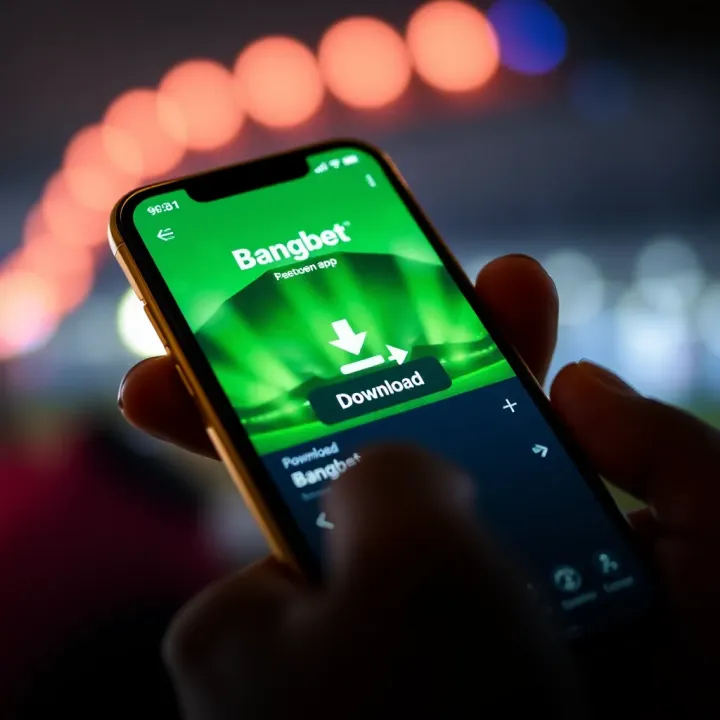
📱 Learn how to easily download and install the Bangbet app in Nigeria. Get tips on registration, device setup, and enjoy sports betting or live casino games securely.

🎯 Learn how to download and use BangBet app in Nigeria for smooth sports betting. Discover registration, deposits, withdrawals, safety tips, and easy installation steps!
Based on 15 reviews